Published 3 April 2026 · Updated 6 September 2026
Best Free When2Meet Alternative for Group Scheduling (2026)
When2Meet is useful but shows its age. Discover the best free When2Meet alternatives that are faster, mobile-friendly, and easier for your whole group to use.
More than just a scheduling poll
Finding the date is only the start. WhosFreeWhen adds the insights and nudges that get your whole group from “sometime soon” to a confirmed date, all on the same page.
When2Meet has been a staple of group scheduling for over a decade. It is free, it requires no account, and it gets the job done. But if you have ever watched a friend struggle to use it on their phone, or tried to explain the grid interface to someone who is not particularly tech-savvy, you know it has some real limitations.
If you are looking for a free When2Meet alternative that is easier to use, works better on mobile, and gives you a clearer picture of group availability, this guide will walk you through the best options and why WhosFreeWhen comes out on top.
What Is When2Meet?
When2Meet is a free web-based scheduling tool that lets organisers create a grid of time slots and share a link with their group. Participants shade in the times they are available, and the grid colour-codes to show where availability overlaps.
It launched in 2008 and has barely changed since. That consistency has made it reliable, but it also means it has not kept up with how people actually use the internet today.
The Problems With When2Meet
When2Meet works, but it has a few friction points that cause real problems when you are trying to get a large group to respond:
The mobile experience is painful. The original When2Meet grid was designed for desktop browsers. On a phone, the grid cells are tiny and easy to mis-tap. Many people give up before finishing.
Time slots instead of full days. When2Meet asks participants to shade individual 15 or 30 minute slots. For most social events, this is far more granular than you need. If you are just trying to find which weekend works for a group camping trip, filling out a time-slot grid for every day of the month is tedious.
The interface looks and feels dated. This sounds superficial, but it matters. A confusing or old-fashioned interface reduces response rates. When people do not understand what they are supposed to do, they abandon the form.
No built-in event features. When2Meet only does one thing: the availability grid. There is no way to add a description, set a location, run a group poll, or manage participants.
WhosFreeWhen: The Best Free When2Meet Alternative
WhosFreeWhen takes everything that makes When2Meet useful (free, no accounts required, shareable link) and modernises the experience from the ground up.
Choose the level of detail. Participants can tap whole days for a social event, split the day into morning and afternoon, or use hourly slots for a meeting. The organiser chooses the granularity, so the group only fills in the detail the decision actually needs.
A genuinely mobile-friendly interface. WhosFreeWhen is built for the way people actually use the web in 2026. Tapping days on a clear calendar grid works perfectly on a phone without any pinching or zooming.
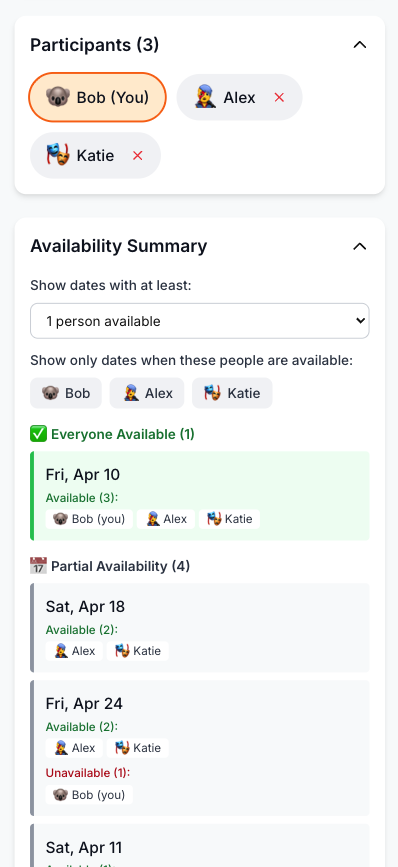
Clear, colour-coded results. The availability summary shows which dates have the most overlap at a glance. You can also filter by specific participants to see what works for the most important people.
Group polls. Beyond just the date, Pro lets you run polls for other group decisions. Venue, activity, food. Everything in one place.
No friction for participants. Participants pick a name and tap their available days. No accounts, no emails, no passwords.
Feature Comparison: WhosFreeWhen vs When2Meet
| Feature | WhosFreeWhen | When2Meet |
|---|---|---|
| Cost | Free plan, one-time Pro upgrade | Free |
| Ads | None | None |
| Account required (organiser) | Optional | No |
| Account required (participants) | No | No |
| Mobile-friendly | Yes | Poor |
| Whole-day availability | Yes | No (time slots only) |
| Optional hourly availability | Yes | Yes |
| Colour-coded results | Yes | Yes |
| Filter by participant | Yes | No |
| Group polls | Yes (Pro) | No |
| Modern interface | Yes | No |
| App download required | No | No |
How to Use WhosFreeWhen
No account needed. The whole setup takes under a minute.
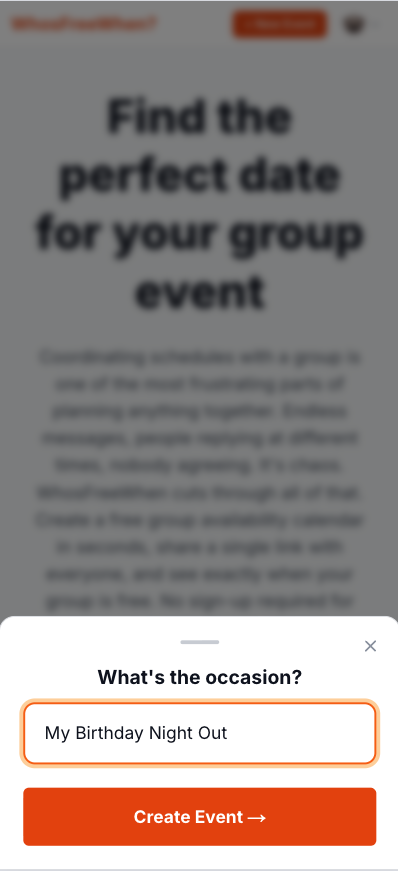
1. Create your event. Enter a name and pick the date range you want to check availability for.
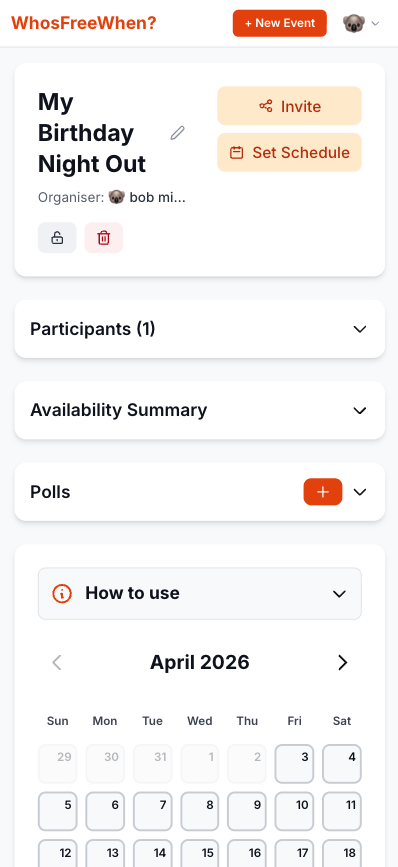
2. Share the link. Copy your unique event link and drop it into WhatsApp, iMessage, email, or wherever your group hangs out.
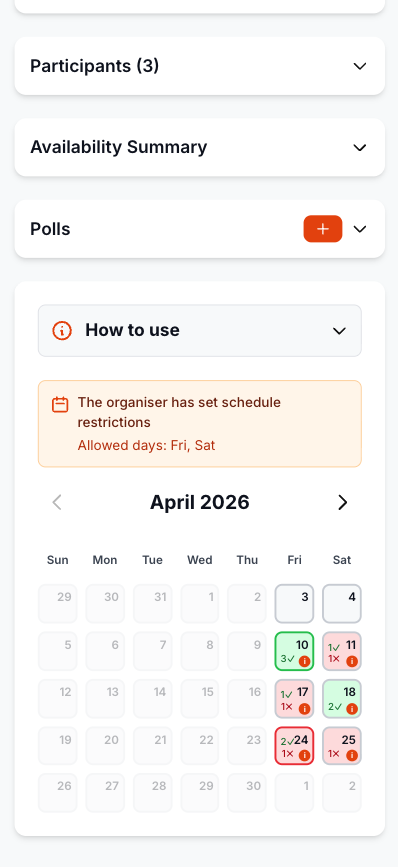
3. Group members mark their free days. No accounts, no app downloads. Participants just pick a name and tap the days they are free. Works on any phone in any browser.
4. Pick the best date from the results. The colour-coded summary shows exactly which dates have the most overlap. Pick the best one and share it back in the group chat.
How to Make the Switch
Switching from When2Meet to WhosFreeWhen takes under a minute:
- Go to whosfreewhen.app
- Name your event and choose a date range
- Share the link with your group (WhatsApp, email, or text)
- Everyone taps the days they are free (no sign-up needed)
- View the colour-coded summary and pick the best date
Your group will find it significantly easier to respond, which means you will get more responses faster and can make a decision sooner.
Frequently Asked Questions
Is WhosFreeWhen free like When2Meet? Yes. The free plan includes one active event for up to five participants, and responders do not need accounts. A one-time Pro upgrade removes the event and participant limits.
Does WhosFreeWhen work without accounts like When2Meet? Yes. Participants just enter a name and tap their available days. No email address, no password, no account of any kind.
Can I see which days work for the most people? Yes. The availability view colour-codes dates by how many people are free, so you can instantly spot the best options. You can also filter to see availability for specific participants.
What if I need time slots, not just full days? Choose hourly availability when you create the event. WhosFreeWhen also supports whole days and broader parts of the day, so the same tool can handle a weekend trip or a precise meeting slot.
Conclusion
When2Meet deserves credit for pioneering free, no-account group scheduling. But in 2026, there are better options available. WhosFreeWhen gives you the same no-cost, no-account simplicity with a modern interface that works properly on mobile, a cleaner results view, and extra organiser features like group polls on Pro.
Try WhosFreeWhen for free and see how much smoother group scheduling can be.